Canvas

Students, Faculty, & Staff

NOTICE, Friday May 8, 2026, 11:10am: Canvas has undergone a security assessment by Instructure and the Washington State Board for Community and Technical Colleges (SBCTC), who has deemed it safe to use. Seattle Colleges’ users can feel free to login and use Canvas again.

More information on the incident and Frequently Asked Questions (FAQs) are at the bottom of this page.

Canvas Login Button

Current students, faculty, and staff should click the Login button above to log in using their ctcLink credentials. An example screenshot of what to expect when logging in is provided to the right.
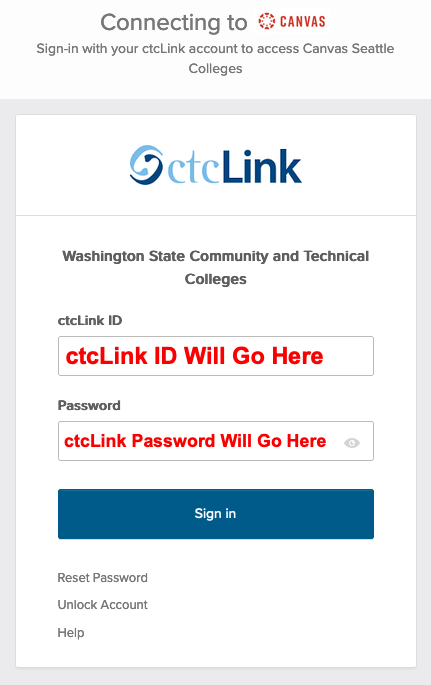
Screen Shot of ctcLink Login with ctcLink ID and Password fields displaying.

Guests (Users Without ctcLink Credentials)


For users without ctcLink credentials, click the Guest Login button to log in using the username and password provided by eLearning or your program. An example screenshot of what to expect when logging in is provided.
Click Here to Log in as a Guest
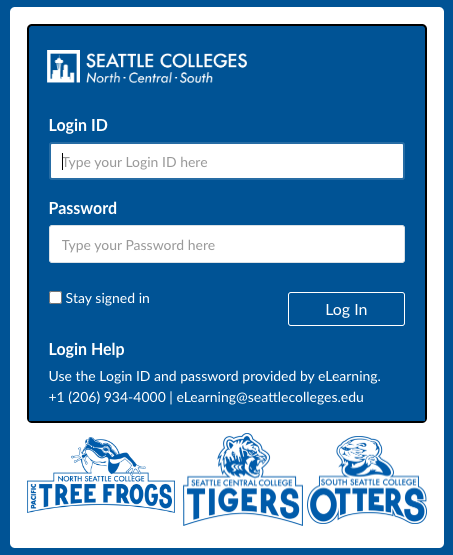
Screen Shot of Guest Login with Login ID and Password fields displaying.

Contact eLearning


Canvas issue across Seattle Colleges in early May 2026

Due to a worldwide issue with Instructure’s Canvas product, Canvas suffered an outage on May 7-8, 2026, at Seattle Colleges and thousands of other institutions across the United States and other locations.

This outage was the result of a security incident, as described on this Instructure page: Security Incident Update and FAQs.

Background: On April 25, 2026, Canvas' parent company, Instructure, experienced a data breach, which they discovered on April 29, 2026. On May 6, 2026, a local community college was confirmed to be among the institutions that were affected by this breach. Student and faculty data in Canvas are affected. That data may have included:

  • First and Last Name
  • ctcLink ID
  • Campus login ID
  • Personal Email Address
  • Content of Messages Sent via Canvas

At this time, there is no indication that the following type of information was exposed:

  • Passwords
  • Date of Birth
  • Government Identifiers (e.g. Social Security Number)
  • Financial Information

Instructure has taken measures to further secure Canvas after this breach. If you are experiencing issues with your Canvas account, please contact the Seattle Colleges' IT Services Help Desk by emailing us at ITHelp@seattlecolleges.edu, Chat with us, or call us at the number best for you.

Frequently Asked Questions (FAQs):

Q1. Is Canvas safe to use?

As of Friday morning, May 8, Canvas has undergone a security assessment by Instructure and the Washington State Board for Community and Technical Colleges (SBCTC) and it has been deemed safe to use.

Seattle Colleges’ users can feel free to login and use Canvas again.

Q2. Was my information taken?

Instructure has confirmed that an unauthorized third party obtained data from colleges nationwide, including our colleges’ Canvas environment, but at this time we do not know whose information was obtained. Instructure has not yet provided the exact data elements or affected user count for our colleges. As soon as specific information for our colleges is identified, it will be shared with the affected community.

Q3. Do I need to change my Canvas password?

Based on current information, there is no indication that passwords were involved. Canvas single sign-on does not provide Canvas with your password — you sign in to Canvas using your Seattle Colleges ctcLink account (ctcLink ID) through our secure single sign-on. There is no need to reset your password as a result of this incident. (As always, normal good practice applies: Change your password if you have any other reason to believe your account may have been compromised.)

Q4. Were my Canvas messages or course content involved?

Instructure has stated publicly that user-to-user Canvas messages were potentially involved across the nationwide incident. Instructure has not yet confirmed whether messages from our colleges’ Canvas environment were specifically involved. We are asking Instructure for that information. It will be shared when received. Course content (assignments, files, grades) has not been described by Instructure as involved.

Q5. What should I do now?

There is no specific action required of you inside Canvas. As good general practice: Be alert to unexpected emails, texts, or calls that request personal information or that direct you to log in through unfamiliar links. Don’t click suspicious links; instead, contact Seattle Colleges IT HELPDESK if anything looks off. If you sign in to other websites using the same email address, make sure you have strong, unique passwords on those accounts and consider enabling multi-factor authentication.
